

Overview
AI agents are quickly evolving from isolated experiments into digital workers that can access data, invoke tools, automate processes, and collaborate with employees. As the number of agents grows, organizations need a consistent way to understand which agents exist, what resources they can access, and how their activities are governed.
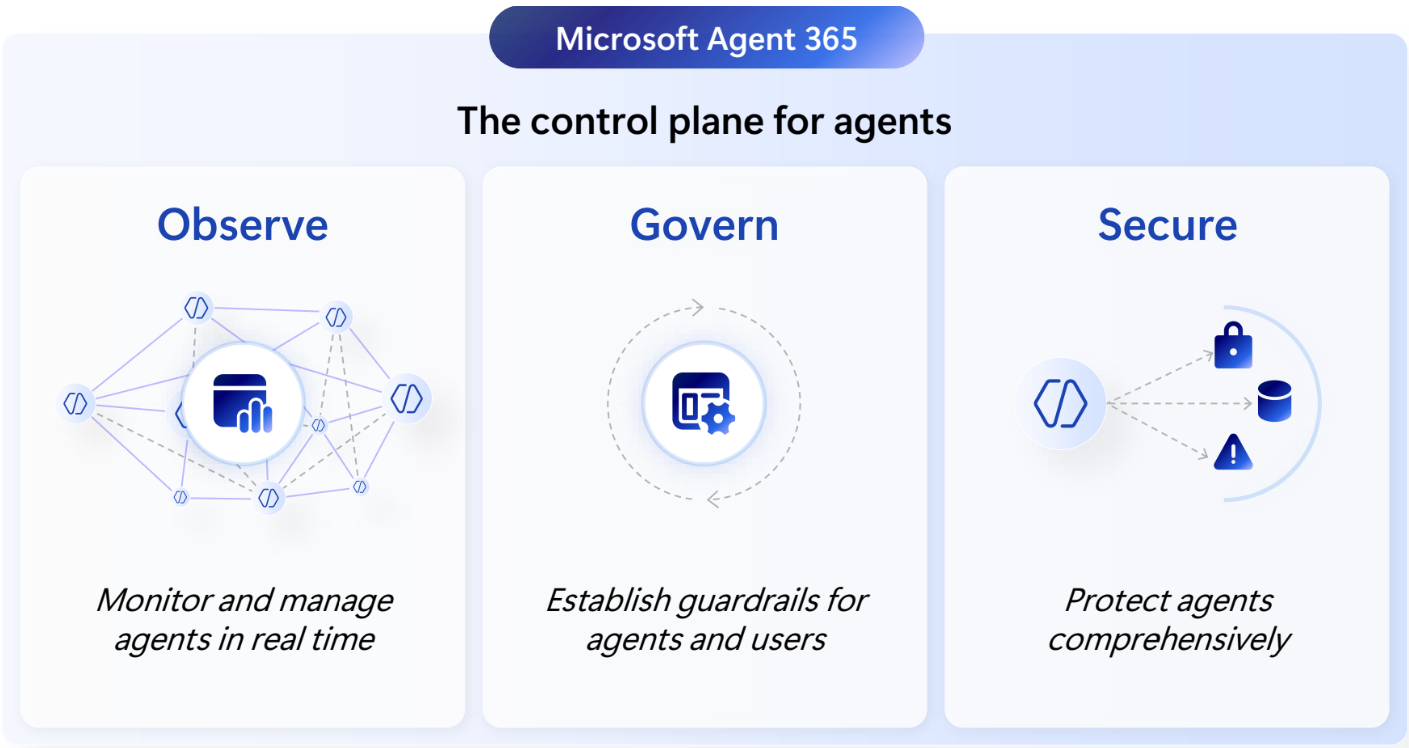
Microsoft Agent 365 provides a unified control plane for observing, governing, and securing AI agents across the enterprise. It is designed to support agents built with Microsoft platforms such as Microsoft Foundry and Copilot Studio, as well as agents from third-party platforms and partner ecosystems. This gives IT and security teams a centralized way to manage agents regardless of where they were created.
How Microsoft Agent 365 Works
Agent 365 brings AI agents into the Microsoft management and security ecosystem organizations already use. Agents can be discovered and registered within a centralized inventory, giving administrators visibility into agent adoption, activity, ownership, health, and potential risk signals.
The key difference is that an agent can become more than an application operating behind the scenes. Through Microsoft Entra Agent ID, an agent can receive a unique enterprise identity with defined permissions, authentication controls, ownership, and lifecycle policies. Agents discovered through Agent 365 can be assigned an identity in Entra Agent ID, allowing organizations to manage them using many of the same identity principles applied to employees and applications.
This identity layer establishes the foundation needed to control what an agent can access, monitor how it authenticates, assign responsible owners or sponsors, and remove access when the agent is no longer required.
Core Agent 365 Capabilities
Centralized Agent Visibility
Agent 365 provides a centralized registry for agents operating across an organization. Administrators can use this registry to identify agents, understand how they are being used, evaluate agent health, and respond to performance or security risks.
This visibility is especially important as organizations begin using agents from multiple platforms. Without a shared control plane, agents can be deployed faster than security and governance teams can inventory them, creating the possibility of shadow agents, excessive permissions, and unmanaged access to organizational data.
Enterprise Identity with Microsoft Entra Agent ID
Microsoft Entra Agent ID provides dedicated identity capabilities for AI agents. Each agent can receive a persistent identity that is separate from a human user account or generic application registration.
Once an agent has an identity, organizations can apply identity and access controls such as:
- Defined owners and sponsors
- Least-privilege access
- Conditional Access policies
- Identity risk monitoring
- Access reviews
- Lifecycle governance
- Authentication and authorization controls
- Network-level access controls
This allows organizations to govern an agent’s access throughout its lifecycle and helps prevent permissions from remaining active longer than necessary.
Advanced Data Security with Microsoft Purview
Agents often interact with sensitive organizational information, including emails, documents, customer records, financial data, and intellectual property. Agent 365 extends Microsoft Purview capabilities to help organizations understand and manage how agents interact with that data.
Purview can provide information protection, Data Loss Prevention, compliance, retention, and risk controls for agent interactions. These capabilities help organizations prevent data oversharing, identify potentially risky behavior, and maintain visibility into how agents use information across the Microsoft 365 environment.
Runtime Protection with Microsoft Defender
Identity and data governance are only part of the security model. Agents can also be exposed to threats such as malicious instructions, unsafe tool usage, compromised connections, and attempts to access resources outside their intended scope.
Microsoft Defender provides continuous threat detection and runtime protection for agents. This allows security teams to monitor behavior, detect malicious activity, identify vulnerabilities, and respond to threats through familiar Microsoft Defender workflows.
Agent Users in Microsoft 365
An agent identity can optionally be associated with an agent user, a specialized user identity designed specifically for an AI agent. This enables the agent to participate more naturally within the Microsoft 365 ecosystem.
Depending on its assigned licenses, permissions, and integration, an agent user can:
- Have a dedicated email address and mailbox
- Receive OneDrive storage
- Appear in the organizational directory
- Be mentioned in Microsoft Teams
- Be included in Microsoft 365 documents and collaboration experiences
- Interact with Microsoft Graph and authorized Microsoft 365 services
For example, an agent could be mentioned in a Teams channel, participate in a document workflow, or receive requests through its own email address. The agent user remains linked to the underlying agent identity, allowing its access and activity to be governed through Microsoft Entra.
Licensing and Microsoft 365 E7
Microsoft Agent 365 is included with Microsoft 365 E7, which combines Microsoft 365 E5, Microsoft 365 Copilot, Microsoft Entra Suite, and Agent 365 into one license. E7 is priced at $99 per user, per month with an annual commitment.
Agent 365 is also available as a standalone add-on for $15 per user, per month, paid annually. It is licensed per user rather than per agent, which means organizations do not need to purchase a separate Agent 365 license for every agent created or managed by a licensed user. Agent 365 works best alongside Microsoft 365 E5 and the supporting Entra, Purview, and Defender capabilities needed to apply comprehensive identity, data, and threat protection.
For organizations planning broad AI and agent adoption, Microsoft 365 E7 provides the most complete package. It brings Agent 365 together with the full Microsoft Entra Suite, Microsoft 365 Copilot, and the advanced security and compliance capabilities of Microsoft 365 E5.
Final Thoughts
As AI agents become more autonomous and gain access to business systems, organizations must begin treating them as enterprise identities rather than unmanaged applications. Every agent should have a clear owner, defined permissions, controlled access, appropriate data protections, and continuous security monitoring.
Microsoft Agent 365 provides the control plane needed to make that possible. By combining centralized visibility with Microsoft Entra Agent ID, Microsoft Purview, and Microsoft Defender, organizations can adopt agents across Microsoft and third-party platforms without creating a separate security and governance model for each one.
Let’s talk. If your organization is exploring AI agents, Microsoft 365 E7, Agent 365, or a broader agent security strategy, Daymark can help you evaluate the licensing, identity architecture, governance controls, and security capabilities needed to deploy agents responsibly at scale.